Day 4 Guide: Mastering Python Tuples
I'm Archana, pursuing Graduation in Information technology and Management. I'm a fresher with expertise in Python programming. I'm excited to apply my skills in AI/ML learning , Python, Java and web development. Looking forward to collaborating and learning from industry experts.
Introduction:
Welcome to Day 4 of my Python journey! Today, I explored the fascinating world of data structures in Python, specifically TUPLES. These data types are crucial for storing and manipulating complex data.
Tuple data type / Tuple class / Tuple data structure
BASIC :
. Tuple() is predefined class.
. len() is used to get length of tuple class.
. >>> help (tuple) is used to get manual about tuple class.
. Tuple elements can be represent with (), each element can be divide with comma( , )
. Tuple is collection of both similar and dissimilar type of elements .
. Tuple supports duplicate elements.
. Tuple object return value inside tuple class .
. Tuple is a linear data structure, because it follow item insert order .
. Tuple is a iterable object.
. Tuple store the element as per the insertion order.
. Tuple is an ordered data structure.
. TUPLE OBJECT DOES NOT SUPPORT ITEM ASSIGNMENT or ITEM DELETION.
. we can not modify a tuple object in future .
. tuple object is an immutable object in python.
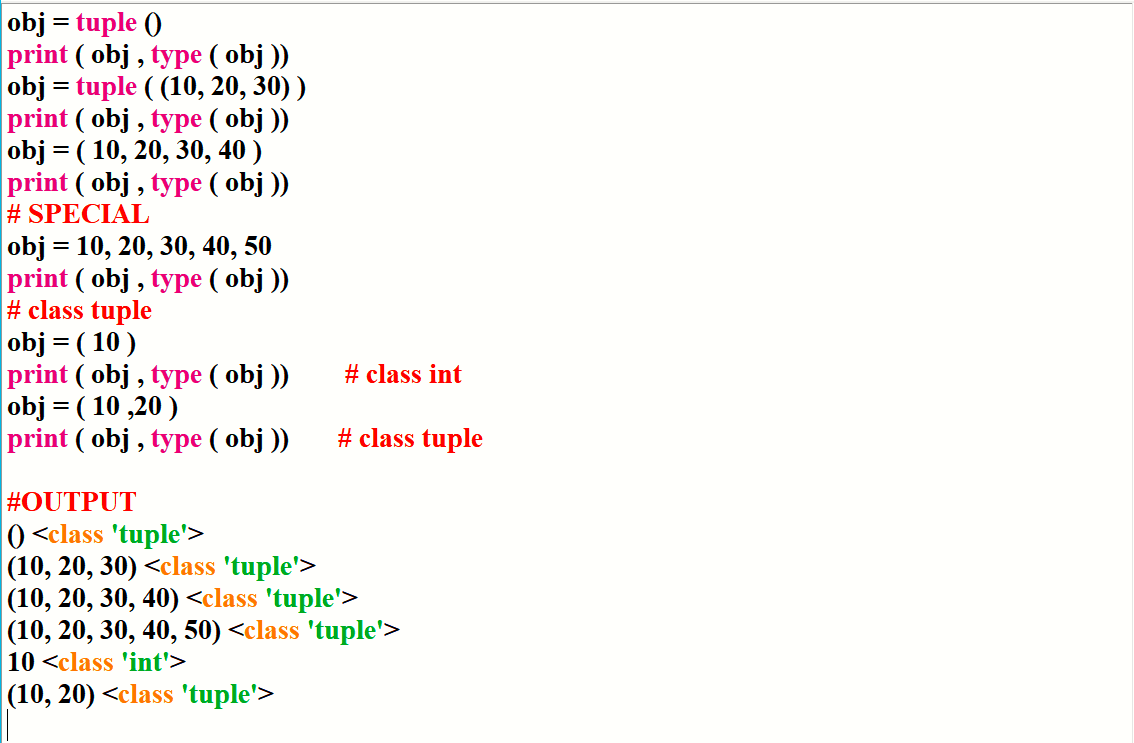
. how to create the object of tuple class →
obj = tuple ()
print ( obj , type ( obj ))
obj = tuple ( (10, 20, 30) )
print ( obj , type ( obj ))
obj = ( 10, 20, 30, 40 )
print ( obj , type ( obj ))
# SPECIAL
obj = 10, 20, 30, 40, 50
print ( obj , type ( obj ))
# class tuple
obj = ( 10 )
print ( obj , type ( obj )) # class int
obj = ( 10 ,20 )
print ( obj , type ( obj )) # class tuple
INDEXING :
. to target individual element we can use index mechanism with tuple object
. to provide index with tuple object we have to use subscript operator []
syntax : tupleObj [ index ]
. by using index we can perform only read operation with tuple object
. by using index we can not perform write / update and delete operation with tuple object.
. +ve index 0 to len - 1
. -ve index is also supported with tuple object.
. -ve index -len to -1
OPERATORS :
all the operators available in python is not going to supported with tuple object .
some limited operators are going to supported with tuple object.
ARITHMATIC :
+ merging
* repetition .
RELATIONAL :
< > <= >= == !=
MEMBERSHIP
in not in
returns bool type object ( True / False )
SLICING
REGULAR SLICING
[ startIndex : stopIndex ]
EXTENDED SLICING
[ startIndex : stopIndex : stepIndex ]
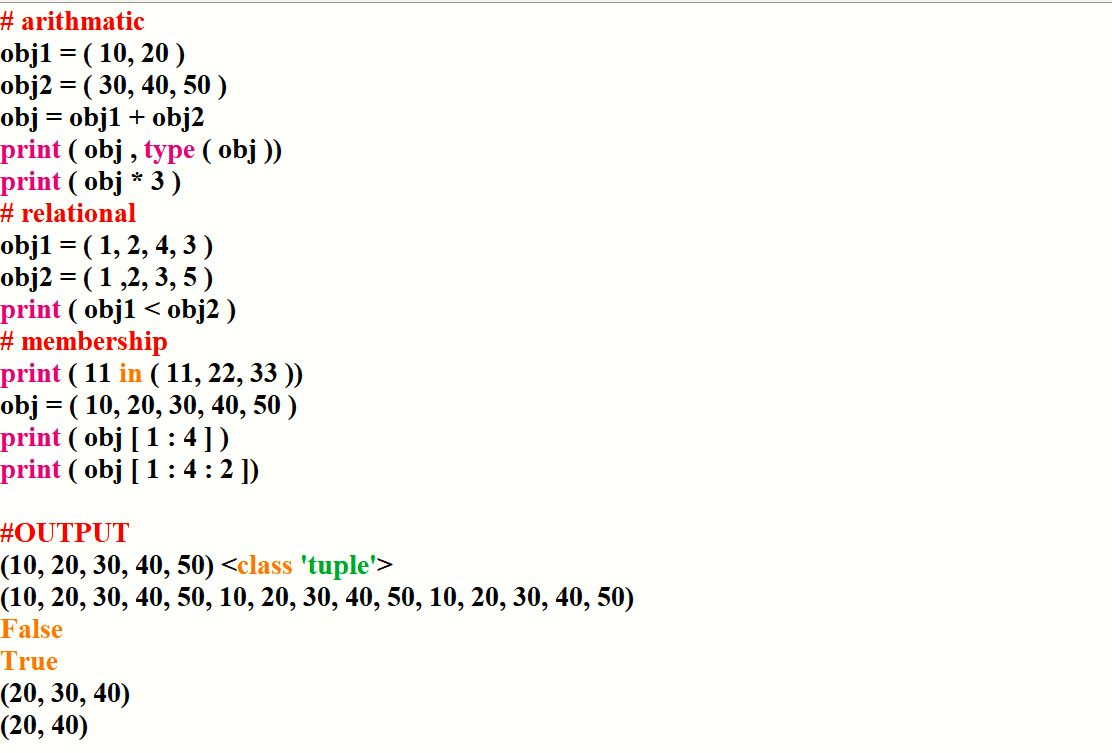
# arithmetic
obj1 = ( 10, 20 )
obj2 = ( 30, 40, 50 )
obj = obj1 + obj2
print ( obj , type ( obj ))
print ( obj * 3 )
# relational
obj1 = ( 1, 2, 4, 3 )
obj2 = ( 1 ,2, 3, 5 )
print ( obj1 < obj2 )
# membership
print ( 11 in ( 11, 22, 33 ))
obj = ( 10, 20, 30, 40, 50 )
print ( obj [ 1 : 4 ] )
print ( obj [ 1 : 4 : 2 ])
FUNCTIONS :
. len ( )
. max ()
. min ()
. sum ()
. sorted ()
print ( len ( obj ))
print ( max ( obj ))
print ( min ( obj ))
print ( sum ( obj ))
print ( sorted ( obj ))
print ( sorted ( obj , reverse = True ))
METHODS :
. count method
count ()
. index method
index ()
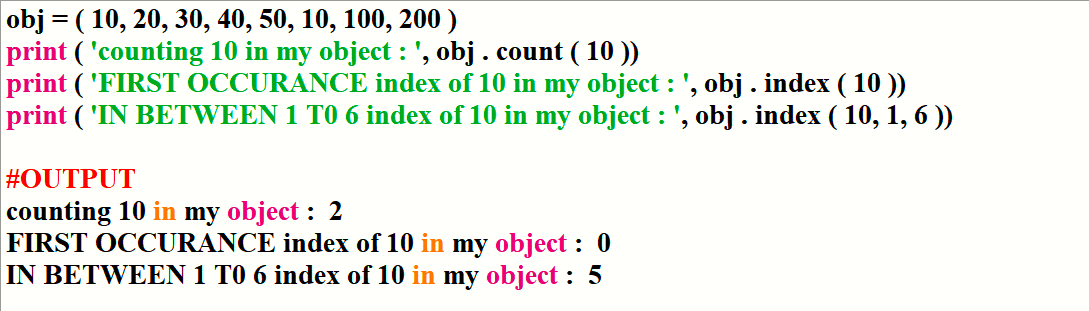
.obj = ( 10, 20, 30, 40, 50, 10, 100, 200 )
print ( 'counting 10 in my object : ', obj . count ( 10 ))
print ( 'FIRST OCCURANCE index of 10 in my object : ', obj . index ( 10 ))
print ( 'IN BETWEEN 1 T0 6 index of 10 in my object : ', obj . index ( 10, 1, 6 ))
Resources:
Official Python Documentation: Data Structures
W3Schools' Python Tutorial: Tuples
Scaler's Python Course: Data Structures
Goals for Tomorrow:
Explore Dictionary.
Learn about Dictionary input/output.
Conclusion:
Day 4 was a blast! Tuple is now under my belt.
What are your favorite data structures in Python? Share in the comments below.
Connect with me:
LinkedIn: [ https://www.linkedin.com/in/archana-prusty-4aa0b827a/ ]
GitHub: [ https://github.com/p-archana1 ]
Join the conversation:
Share your own learning experiences or ask questions in the comments.
Next Post:
Day 5: discuss on DICTONARY.
Happy Learning!!